QuickBooks is well-known for being a trusted financial tool for small and medium-sized businesses, providing an accessible way to manage accounting tasks. For process manufacturers, QuickBooks is a natural choice at first, offering familiar tools to handle finances and day-to-day operations. However, as the needs of manufacturers grow, particularly with the complexity of batch processing and regulatory demands, QuickBooks’s limitations become evident.
How BatchMaster Complements QuickBooks
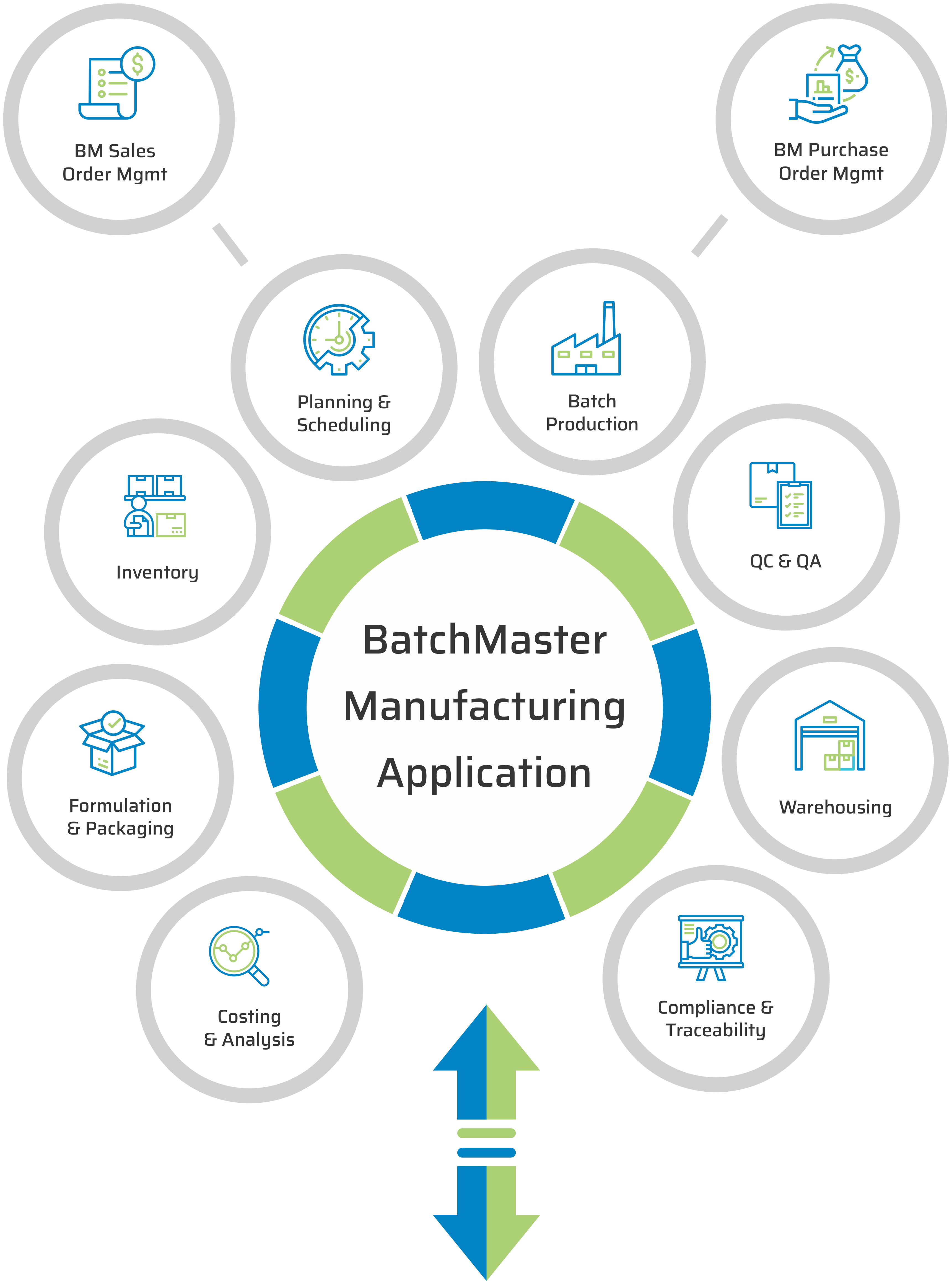
BatchMaster is designed for process manufacturing. It offers the tools needed to handle the intricacies of batch production, from managing raw materials to ensuring compliance with industry regulations. BatchMaster’s advanced production planning, inventory control, and compliance management features bridge the gaps left by QuickBooks, allowing manufacturers to focus on growing their business.
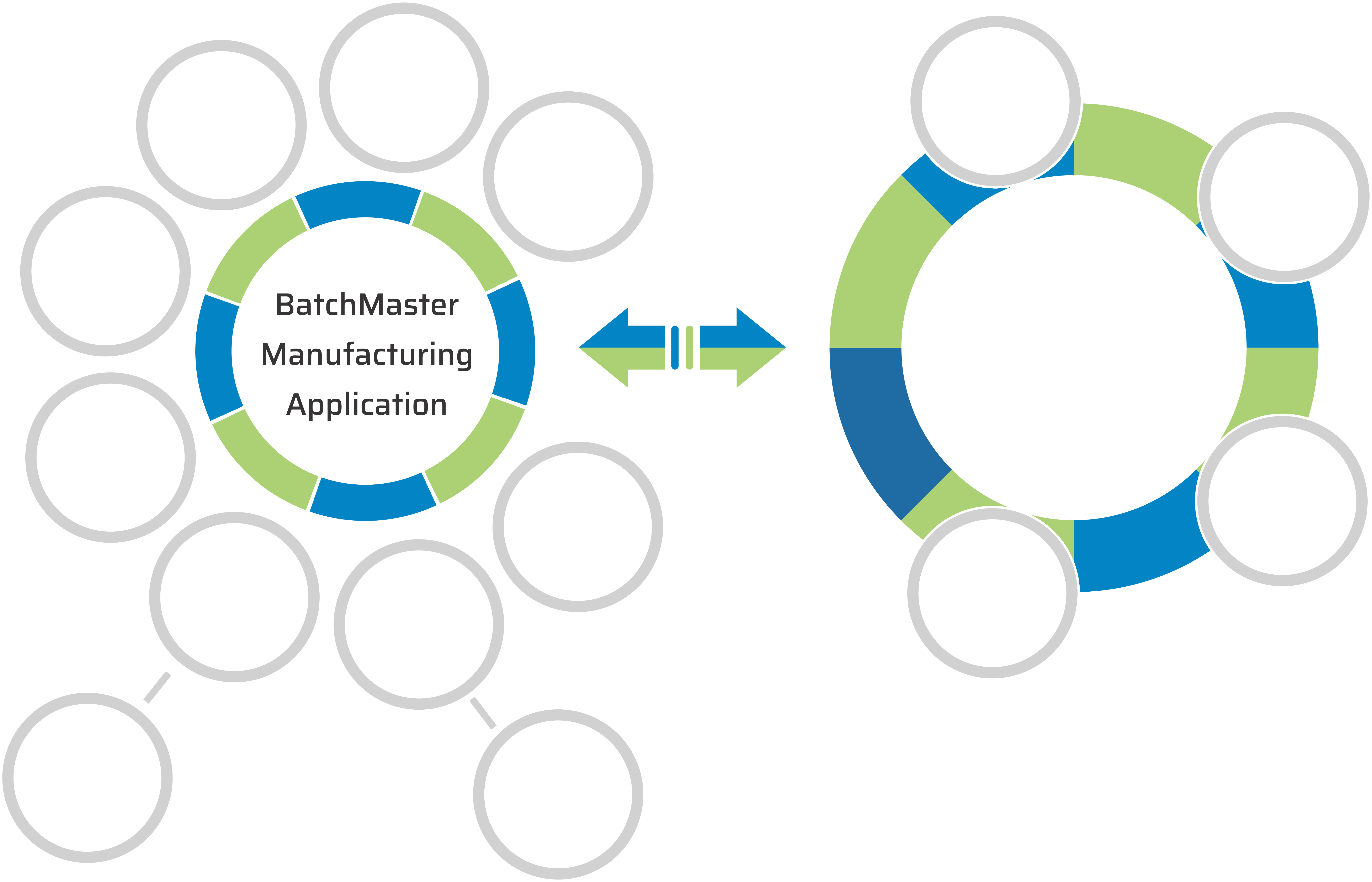
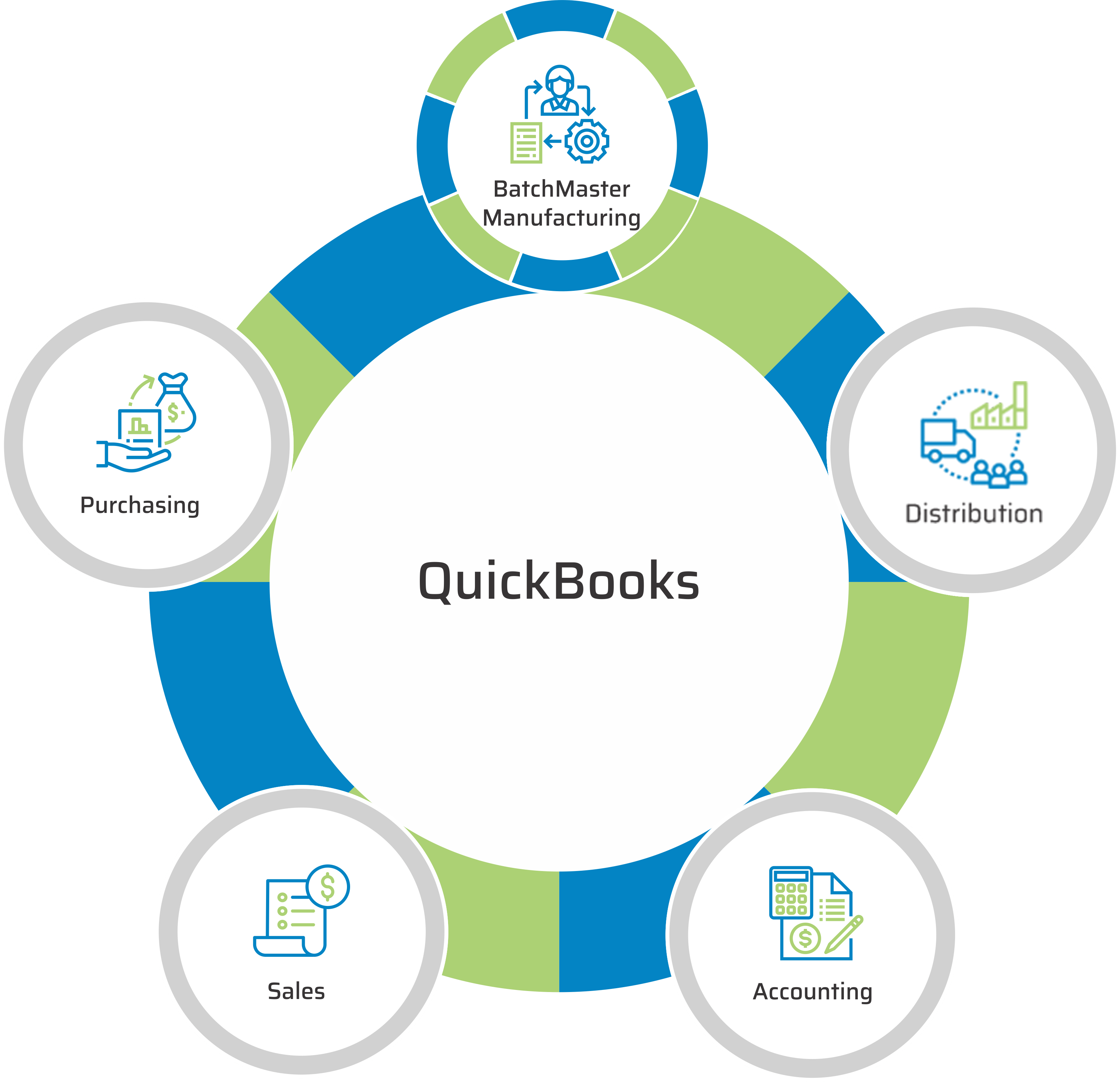
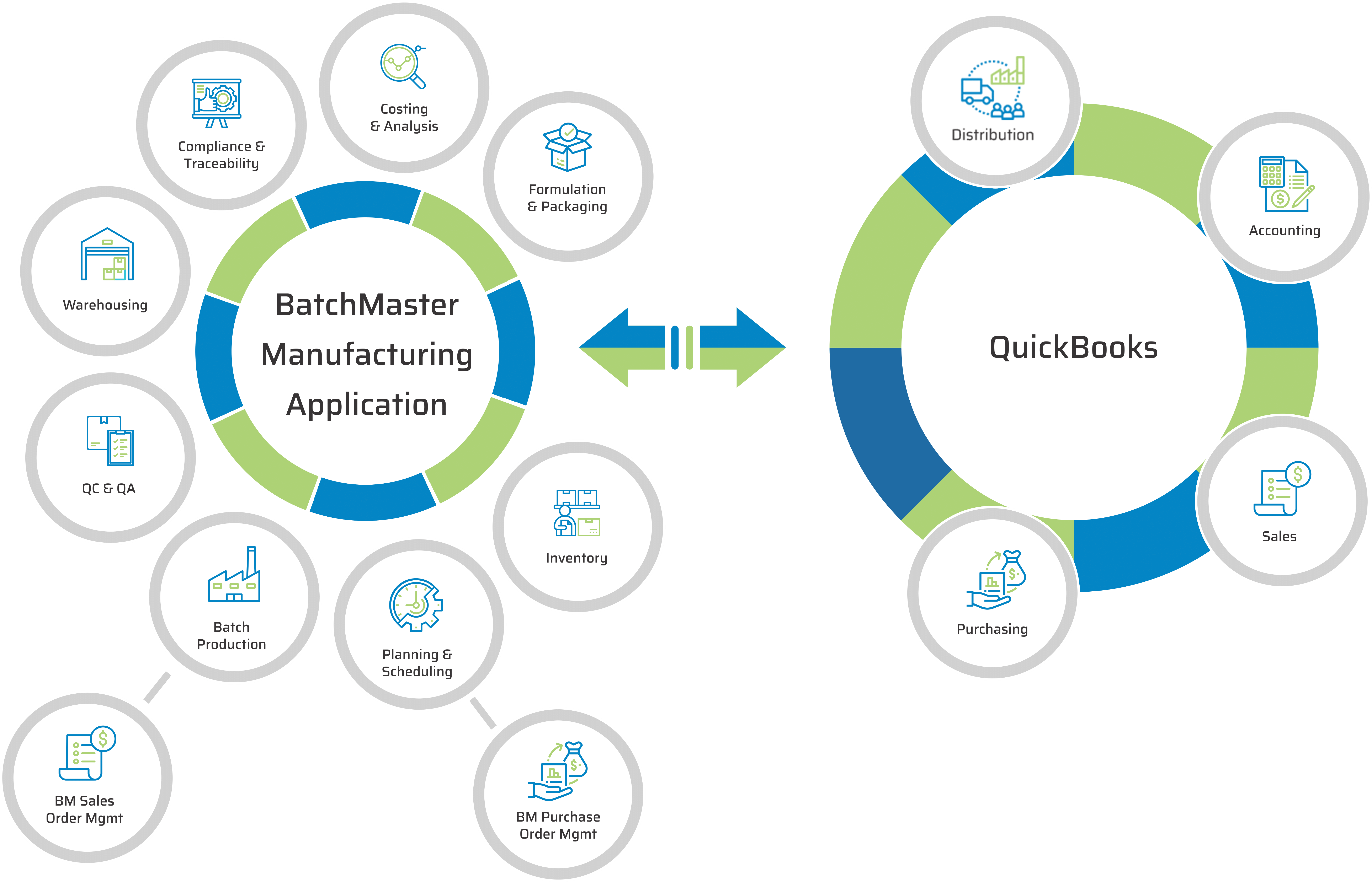
BatchMaster integrates seamlessly with QuickBooks, so you don’t have to overhaul your entire financial system. BatchMaster works alongside QuickBooks, syncing financials, inventory levels, and order processing data. This integration ensures you completely control your finances and manufacturing operations without disruptions.
Key Features of BatchMaster QuickBooks Integration
BatchMaster, not QuickBooks, will manage raw material and finished goods inventory levels in real-time, across multiple locations, with automatic updates during the inbound, WIP and shipping processes. BM generates required delivery and shipping documentation and can run with selected shipping services to manage logistics.
QuickBooks
BatchMaster, not QuickBooks, will manage vendor profiles and purchase orders, including discounts, invoices and vendor deliveries of raw materials. BM users will plan PO’s, based upon vendor performance, stock levels, planned batch production jobs and replenishment quantities.
QuickBooks
BatchMaster, not QuickBooks, will manage customer profiles and sales orders, including sales histories, discounts, quotes, invoices, and customer shipments of finished goods. BM users will plan and schedule batch production jobs and customer shipments, based upon various item and order criteria.
QuickBooks
QuickBooks will continue to be responsible for monitoring cash flow and managing accounts payable and receivable. QB Users will manage company income and expenses, track sales and sales tax, create and send invoices, and generate detailed financial reports like profit and loss statements and balance sheets.
QuickBooks
1. Advanced Inventory and Batch Production Management
BatchMaster offers real-time inventory updates that sync with QuickBooks, so you always know where your stock stands. You can manage raw materials, work-in-progress (WIP), and finished goods efficiently while keeping your financial records up to date in QuickBooks.
BatchMaster manages ingredients and raw materials from the moment they are received through every step of production while overseeing the movement of intermediate and finished goods from production to shipping.
Manufacturers can view inventory costs when adding ingredients to formulas or materials to assemblies. Production teams can allocate the most suitable inventory for batch jobs, adjust inventory attributes, and transfer stock between locations or plants. Additionally, they record batch job yields and QC statuses for each lot produced. Management benefits from complete visibility into all inventory movements and levels, with detailed insights into various inventory characteristics, including real-time weight, volume, and quantity views across different units of measure.
2. Recipe and Formula Management
QuickBooks may be great for finances, but BatchMaster is for managing recipes and formulations. With real-time cost calculations, yield optimizations, and process control, BatchMaster ensures your product consistency and profitability are never compromised.
The formulation feature handles all product specifications, including intermediates, co-products, and by-products. Beyond defining the ingredients, product developers can incorporate QC tests, special manufacturing instructions, and associated costs directly into the specifications. All ingredient attributes, such as costs, are consolidated into the recipe or formula for a complete, detailed specification.
3. Compliance and Traceability
For industries with strict regulatory requirements, BatchMaster simplifies compliance. It provides built-in features for FDA, cGMP, and other regulations, ensuring you can trace every batch and lot for recalls and audits.
BatchMaster’s compliance and regulatory tracking software captures and stores essential transactional records, such as Master Batch Records for FDA reviews, to support auditor reports. The system incorporates industry-specific compliance protocols throughout its applications, ensuring adherence to federal and industry regulations.
Capturing item, user, and location data throughout the inventory lifecycle—whether during receipt, production, shipping, or internal movement—creates a comprehensive digital trail that allows quick searches to pinpoint where and when issues arose and identify the products impacted. With BatchMaster’s graphical lot traceability and recall tool, staff can efficiently trace suspect items from receiving to shipping, back to receiving, or within WIP, meeting and exceeding GFSI BRC/SQF product traceability and recall requirements while minimizing the scope of product recalls.
4. Production Planning and Scheduling
BatchMaster’s forecasting and scheduling tools take the guesswork out of production. These features streamline your workflow, ensuring you can meet demand without bottlenecks or delays—something QuickBooks can’t do independently.
BatchMaster’s Production module oversees all manufacturing processes, including mixing, blending, filling, assembling, and more, to produce intermediates and finished goods, as well as co-products and by-products. Beyond supporting make-to-stock operations, the system’s make-to-order capabilities cater to custom blenders, private label producers, and toll and contract manufacturers.
From inventory allocation to the completion of finished goods, BatchMaster captures and reports all production and quality-related transactions, which includes actual inventory usage, labor costs, and yields throughout each stage of the batch manufacturing process.
5. Quality Control Integration
Quality control is essential to product integrity, but QuickBooks cannot fully integrate quality control processes. While you can track financial data, it doesn’t provide real-time tracking of test results, approvals, or the economic impact of quality issues. This limitation makes it difficult to analyze costing variances related to quality failures, such as the costs of rework, scrap, or product recalls, leaving manufacturers without the critical insights needed to manage quality effectively and improve profitability.
Add-ons Tailored for Process Manufacturers

Planning and Scheduling
Gain granular visibility to available raw material, intermediate, and finished goods inventories and current batch production jobs to employ economies of scale when negotiating purchasing discounts and optimizing batch production schedules.

Mobile/Warehousing
Employ handheld RF devices to execute inventory movements and adjustments within one or more facilities, including receiving, putting away, cycle counting, production, picking, packing, and shipping tasks.
Customization Features
Every business operates differently, with its distinct processes and requirements. BatchMaster understands this diversity and provides robust customization options that align perfectly with your specific operational needs. Whether it’s modifying workflows to fit how your teams work, automating routine tasks to improve efficiency, or generating detailed custom reports that deliver insights unique to your business, BatchMaster offers the flexibility to adapt. This level of customization ensures that your ERP solution grows with your company, streamlining operations and seamlessly supporting your evolving business goals.
BatchMaster Manufacturing for QuickBooks
Critical Benefits of BatchMaster QuickBooks Integration
1. Speed Product Development
BatchMaster’s solution enables manufacturers to efficiently track the progress of samples while allowing multiple developers to work simultaneously on separate recipe and packaging specifications. It integrates USDA and Genesis nutritional information, making it easier to dynamically adjust recipes to meet specific dietary, physical, and cost targets. This flexibility ensures that products align with both health standards and budgetary requirements.
Additionally, BatchMaster supports comparing specifications side-by-side, enabling teams to evaluate different formulations quickly. It also facilitates the initiation of multi-level approval workflows, streamlining collaboration and decision-making across departments. Lastly, the system simplifies the generation of FDA-compliant nutritional and ingredient labels, ensuring adherence to regulatory requirements and enhancing product transparency.
2. Quickly Scale Production
The system can automatically link and schedule batch jobs, streamlining production planning. Additionally, it manages equipment and resource availability, optimizes capacities, and reduces bottlenecks in the manufacturing process. Lot numbers for intermediates and finished goods are automatically generated, simplifying traceability and compliance efforts. Production tasks can be executed via mobile devices, providing staff real-time access and control. Finally, BatchMaster’s automatic back-flushing feature ensures that inventory is accurately tracked and updated throughout production, reducing manual effort and minimizing errors.
3. Meet Quality Standards
The system mandates task acknowledgments and quality data collection, reinforcing accountability and accuracy during production. It can automatically identify and dispose of substandard inventory, preventing non-compliant products from entering the supply chain. Customized Certificates of Analysis (COA) reports can be generated to meet specific customer or regulatory requirements. Additionally, BatchMaster provides tools to manage deviations and non-conformance situations, ensuring that corrective actions are prompt to maintain quality standards.
4. Control Costs
BatchMaster allows manufacturers to define fixed, tiered, and variable labor costs directly within product specifications, clearly understanding labor expenses at each production stage. It also identifies the costs of consumables, helping businesses maintain precise cost tracking across all materials used in the manufacturing process.
The system supports dynamic recipe adjustments and runs “what if” cost analyses, enabling manufacturers to meet specific cost target values. BatchMaster also consolidates demand using MRP (Material Requirements Planning) and MPS (Master Production Scheduling), facilitating bulk purchases at discounted rates. It reduces costs and optimizes resource utilization by aligning production schedules with material availability based on MRP and MPS planning.
5. Ensure Compliance
BatchMaster enables dynamic recipe adjustments to ensure products meet specific label claims, allowing manufacturers to modify formulations to align with regulatory or marketing requirements quickly. This flexibility maintains label accuracy without compromising product quality.
The system also generates FDA-approved nutritional fact panels, simplifying compliance with food labeling regulations. Additionally, BatchMaster provides comprehensive bidirectional lot traceability reports, allowing manufacturers to trace ingredients and products forward and backward through the supply chain. This feature is crucial for meeting regulatory requirements and managing recalls effectively. Furthermore, the system maintains full version control and audit history, offering complete transparency and accountability for all product and process changes.
6. Control Inventory
BatchMaster automatically assigns lot numbers during receiving and production, ensuring accurate traceability and streamlined inventory management from when goods enter the facility. This automation reduces manual effort and minimizes tracking errors.
The system also tracks inventory variables such as weight, volume, or potency, allowing for more precise stock management. Manufacturers can view simultaneous dual units of measure, making handling products requiring different inventory and production metrics easier.
7. Improve Planning and Scheduling
BatchMaster generates synchronized purchase orders that align with production schedules and inventory needs to enhance procurement efficiency further. This integration facilitates seamless communication with suppliers, ensuring that materials arrive on time and in the right quantities to support production demands.
8. Go Paperless in Your Warehouse
9. Gain Visibility and Improve Reporting
BatchMaster offers “favorite” shortcuts for enhanced efficiency, enabling quick access to frequently used data and reports. This streamlined approach minimizes the time spent navigating the system and maximizes productivity.
Moreover, users can customize industry-specific inquiries and reports and run ad hoc queries to meet their unique business needs. This flexibility ensures that organizations can adapt their data analysis to meet evolving requirements and stay ahead of market trends.
Customer Success Stories
"As the complexities of our operations have evolved over the last five years, purchasing BME Web and QuickBooks was the right choice to streamline our processes, enhance user productivity, and ensure seamless coordination across all departments. We felt there was a level of simplicity behind the software from BatchMaster; we saw the software was built in a way that supported our processes right out of the box."
"BME Web has automated several manual tasks, including the generation of customer-specific COAs, the printing of various labels during warehousing and production, and the capture and creation of product expiration dates and lot numbers of raw materials and finished goods."
How to Get Started with BatchMaster and QuickBooks Integration
1. Step-by-Step Process
Integrating BatchMaster with QuickBooks is simple. Start by consulting with BatchMaster’s team to assess your needs, followed by a step-by-step implementation process that ensures a smooth transition.
2. Implementation Timeline and Support
Let our experienced professional services implementation team help you reach your goals. Working together, we quickly set up core functionality and efficiently migrate data from legacy systems. Startup time is reduced using accelerators that speed up implementation. Our flexible deployment options, including on-premise, hosting, and Cloud, make it easier to maximize your IT budget and resources and realize your return on investment.
3. Fill Your Manufacturing Gaps
BatchMaster fills the gaps where QuickBooks falls short, providing process manufacturers with the tools they need to manage production, ensure compliance, and grow their business. The seamless integration with QuickBooks allows you to maintain financial control while enhancing operational efficiency.
Ready to improve your manufacturing operations? Contact BatchMaster for a free consultation or demo and learn how this powerful ERP system can complement your QuickBooks setup.